Ad Optimization
Ad Refresh: Publisher's Guide to More Revenue & Happy Users
min read
February 14, 2026

By
Abhilasha

Ad Optimization

How to implement ad refresh strategies that boost publisher revenue without hurting user experience.
Ad refresh, for me at least, is one of the only few strategies from the ad tech world that’s not here to topple down your user experience or deter your revenue goals. At least not when done right. So, yes, I was a bit surprised when I came across this -
.
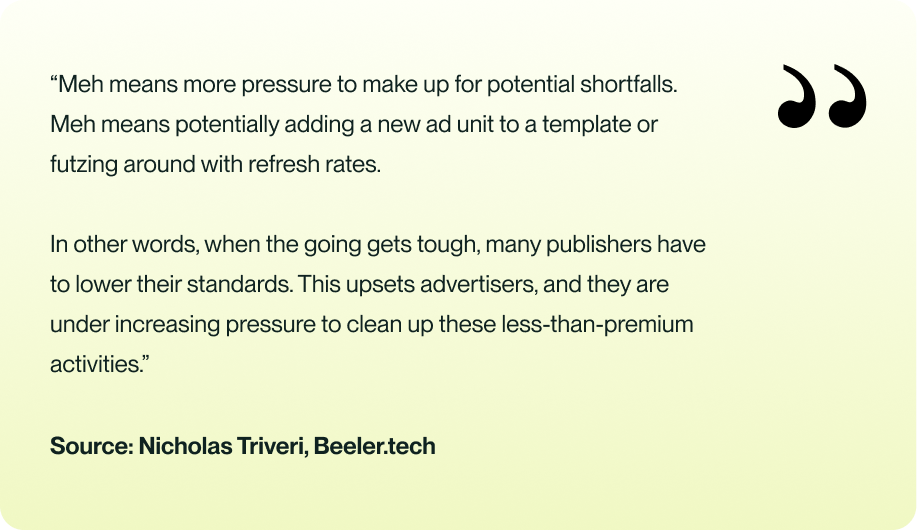
When does your ad refresh go “meh”? Let’s find out.
Ad refresh is a technique used in online advertising to serve new ad creatives to visitors without reloading or adding new ad units to a web page. You can refresh the creatives for the visitor based on certain pre-defined user actions.
At the same time, it is important to note that ad Refresh is not something unrealistically magical. Of course, it will increase your revenue, but the CPM you will get for your refreshed inventories will often be less than before.
The idea behind ad refresh is simple: replace old ads with new ones at regular intervals during a user session. However, the effectiveness of ad refresh hinges on its implementation.
While implementing ad refresh, stay away from the below red flags. If any of the following is flurrying, it’s time to refresh your ad refresh strategy.
To avoid these pitfalls, you should employ data-driven strategies that respect user engagement, set appropriate ad refresh timers based on actual user behavior, and continuously monitor the impact of ad refreshes on both user experience and ad performance.
Core Web Vitals are Google’s primary way of measuring real user experience, and poor ad refresh setups can negatively impact all three metrics. Refreshing ads too frequently or when they’re not in view increases network activity, shifts layout elements, and can trigger delays in rendering.
A timer-based or overly aggressive refresh can cause layout shifts (affecting CLS), add unnecessary CPU and network load that slows down interaction (affecting INP), and delay important visual elements from stabilizing (affecting LCP). When refreshes are tied to user engagement and viewability instead, the site remains stable, responsive, and aligned with the way Google evaluates UX.
Ad refresh can be an effective tool for publishers to maximize ad revenue, but it must be implemented carefully. Here are some best practices for ad refresh:
The refresh rate of an ad should be optimized to ensure that it does not negatively impact the user experience. A refresh rate of 30-60 seconds is generally considered reasonable.
Also, ads on pages with longer content, such as in-depth articles, can be refreshed more slowly since users spend more time reading. For shorter content, consider user engagement signals like scroll depth or interaction with page elements to determine the best timing for refreshes. The goal is to ensure that ads have enough exposure time to be noticed and acted upon by the user without being seen as intrusive or annoying.
Remember - Only when more than 51% of the ad is visible should refresh be initiated.
You should track ad viewability to ensure that ads are visible to the user. If an ad is not visible, it is ineffective, and advertisers may not continue advertising on the publisher's website. Aim for 80% viewability.
Remember - If a user is in a separate tab from where the ad is displayed or another window obscures more than 50% of the page content in their browser, publishers shouldn’t refresh the ads.
You should be transparent about your use of ad refresh and ensure that your demand partners (ad networks, exchanges, and SSPs) know the refresh rate.
The details must include information such as the type of refresh, i.e., event, action, engagement, or time-based, and the refreshed impression's position in the sequence of refreshed ads, if possible.
Publishers should test different refresh rates and monitor the performance of ads to optimize the refresh rate for maximum revenue and user satisfaction.
Remember - Start with a high refresh rate and gradually decrease it over time. For example, you can start with a refresh rate of 90 seconds and gradually reduce it to 60 seconds or less.
The refresh rate should be continuously tested and improved over time, considering changes in user behavior, ad formats, and other factors affecting performance.
Innovation and competitive advantage go hand in hand. Traditional ad-refresh methods, where ads reload based on simple, predefined triggers, are no longer enough.
With any of these methods, the refresh script simply calls the server for a new ad at a predetermined moment, regardless of whether the user actually sees it or is actively engaged.
But today, user experience and engagement matter more than ever. That’s exactly why we built Mile’s Smart Ad Refresh.
Smart Ad Refresh is designed around Active Exposure Time and real user engagement. Instead of refreshing ads at random intervals, our technology intelligently evaluates how a user interacts with your page, content, and ads, down to granular behavioral signals in order to determine the right moment to request a new impression.
At its core, Smart Ad Refresh ensures that ads are refreshed only when they are genuinely viewable and the user is actively present.
Smart Ad Refresh prioritizes high-quality, viewable impressions by refreshing an ad only when it meets both conditions:
Beyond simple visibility, the system verifies that the user is actually active on the tab and engaged with the page.
To do this, Smart Ad Refresh analyzes a set of behavioral and environmental metrics, including:
These signals work together to identify the optimal refresh moment, ensuring impressions are served only when users are engaged and ads are truly viewable.
Smart Ad Refresh isn’t about increasing volume by forcefully pushing more ad calls. It’s about serving better, more valuable impressions.
By focusing on real engagement, visibility, and user activity, Smart Ad Refresh creates a win-win:
Challenges in the digital ecosystem are many. But I would love to mumble Hamlet here -
“Whether 'tis nobler in the mind to suffer
The slings and arrows of outrageous fortune,
Or to take arms against a sea of troubles
And by opposing end them.”
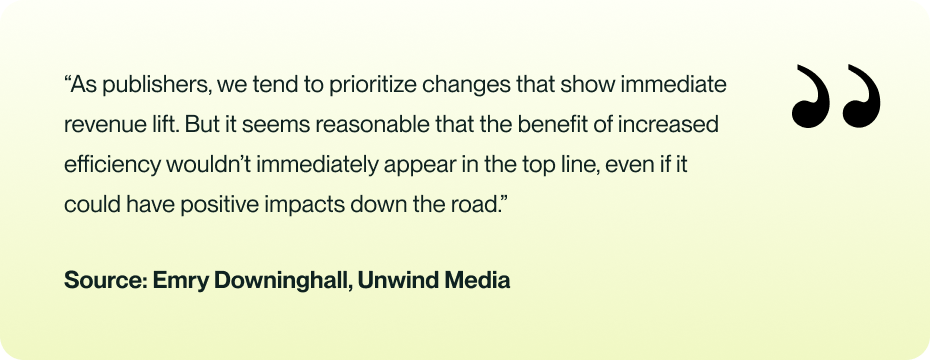
Unwind Media revealed the test result of one of the experiments it has been running for a long time with ad refresh (and that exactly works like Smart ad refresh!!)
Unwind Media implemented an extra trigger to their ad refresh setup. Now, instead of the ad slot just being visible, the user also needed to be active for ads to qualify for refresh. This approach involved tracking user actions like clicks, scrolls, and touch starts, with a 60-second inactivity threshold to deem a user idle and stop ad requests.
Despite the pre-apprehensions expecting a dip in revenue, the result awed everyone.
For publishers, ad refresh is vital to optimize revenue and maintain a favorable website user experience. It enables you to showcase new and pertinent ads to your viewers, elevating the chances of clicks and conversions.
Nevertheless, you must balance the frequency of ads and user experience to prevent overwhelming your audience with excess ads. Moreover, you should prioritize open communication and transparency with your demand partners to foster a healthy relationship and ensure ethical and efficient ad refresh practices.
Ad refresh can be a potent instrument for publishers to enhance their monetization strategy and enrich their audience experience. The only thing needed is - innovation.

IAB guidelines emphasize transparency, viewability-based triggers, and refreshing only when ads are meaningfully seen. Non-compliance can lead to penalties, lost demand partners, and lower trust. Publishers must disclose refresh types and maintain viewability standards.
Google permits ad refresh only when it’s transparent to demand partners and based on valid triggers such as viewability, user action, or disclosed time-based refreshes. Refreshing ads off-screen or on idle users can violate policies and hurt monetization.
Misconfigurations show up as low viewability, high invalid refreshes, ads refreshing on inactive tabs, mismatched ad/context relevance, or sudden CPM drops. Monitoring metrics like active time, last event, session time, and total events helps diagnose faulty triggers.
Mobile requires its own logic. Use touch and scroll signals, track when the user is active, and refresh ads only when at least half of the ad is in view. Avoid desktop-style timers and consider data usage, as frequent refreshes can drive mobile users away.

.webp)


.avif)
.avif)


